Introducing Sofia

Not another tool. A teammate.

Hire Sofia and run your company like you've doubled your team. The AI employee you can call, text, email, or message in Slack, Teams, and WhatsApp.


📊
PerformanceMetrics
Avery Brooks
Avery Brooks9:12 AM
@Sofia Anything unusual in our numbers compared with last week?
Sofia App
Sofia App9:14 AM
Pulling live numbers…
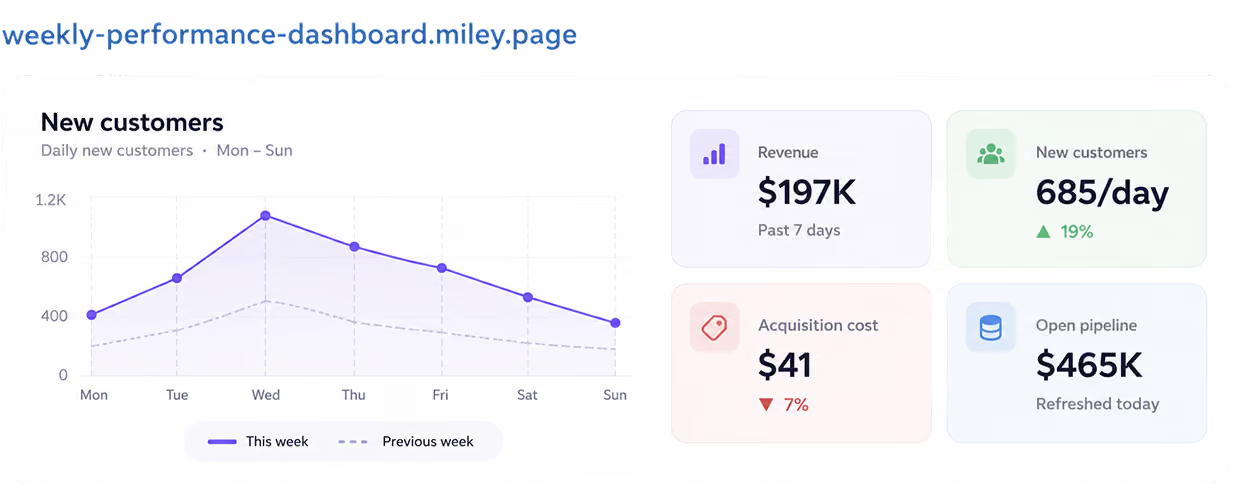
A few things stand out. New subscriptions climbed 19%, while acquisition cost improved by 7%. Everything else stayed within the normal range. Should I automatically send you a performance snapshot every Monday morning?
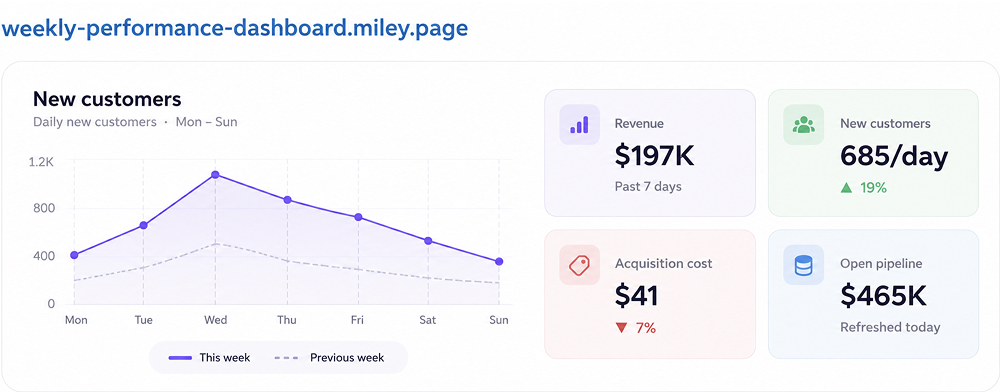
Weekly performance dashboard chart: new customers, revenue, acquisition cost, open pipeline
👏 4📈 3
Chris Nolan
Chris Nolan9:17 AM
Could Sofia turn these updates into a live performance dashboard?

Priya Shah
Priya Shah8:35 AM
@Sofia Our new product designer starts next week. Can you get everything ready?
Sofia App
Sofia App8:38 AM
Setting up workspace…
Absolutely. Noah's workspace and first-week setup are ready to go.
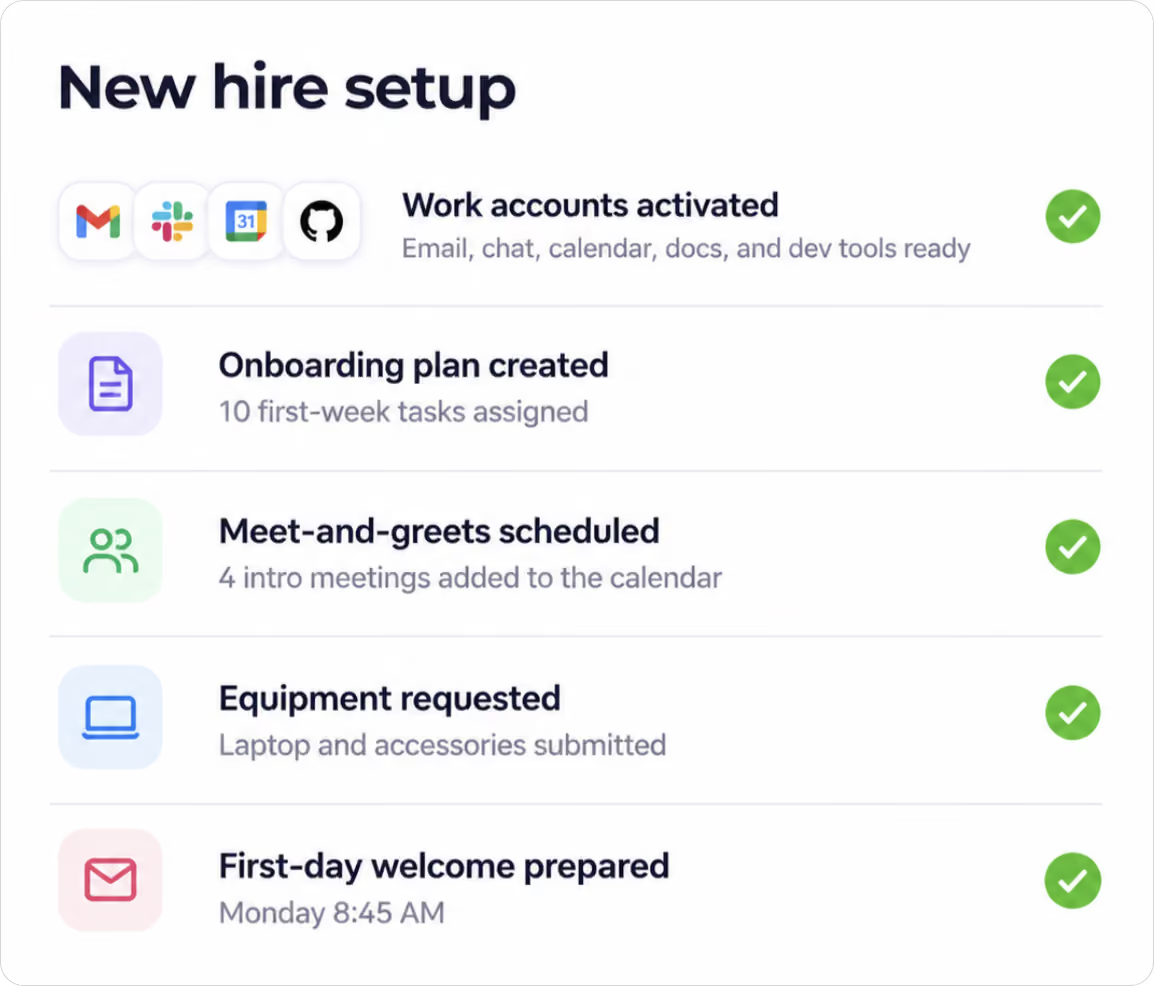
EmployeeOnboarding chart
Marcus Lee
Marcus Lee11:06 AM
@Sofia Can you prepare payroll for this pay period? Check time records against payments and surface anything that needs attention before I sign off.
Sofia App
Sofia App11:09 AM
Reconciling payroll…
Payroll review is complete. I matched employee hours against payment records and found two items that needed correction. Both have been resolved. Everything is ready for final review.
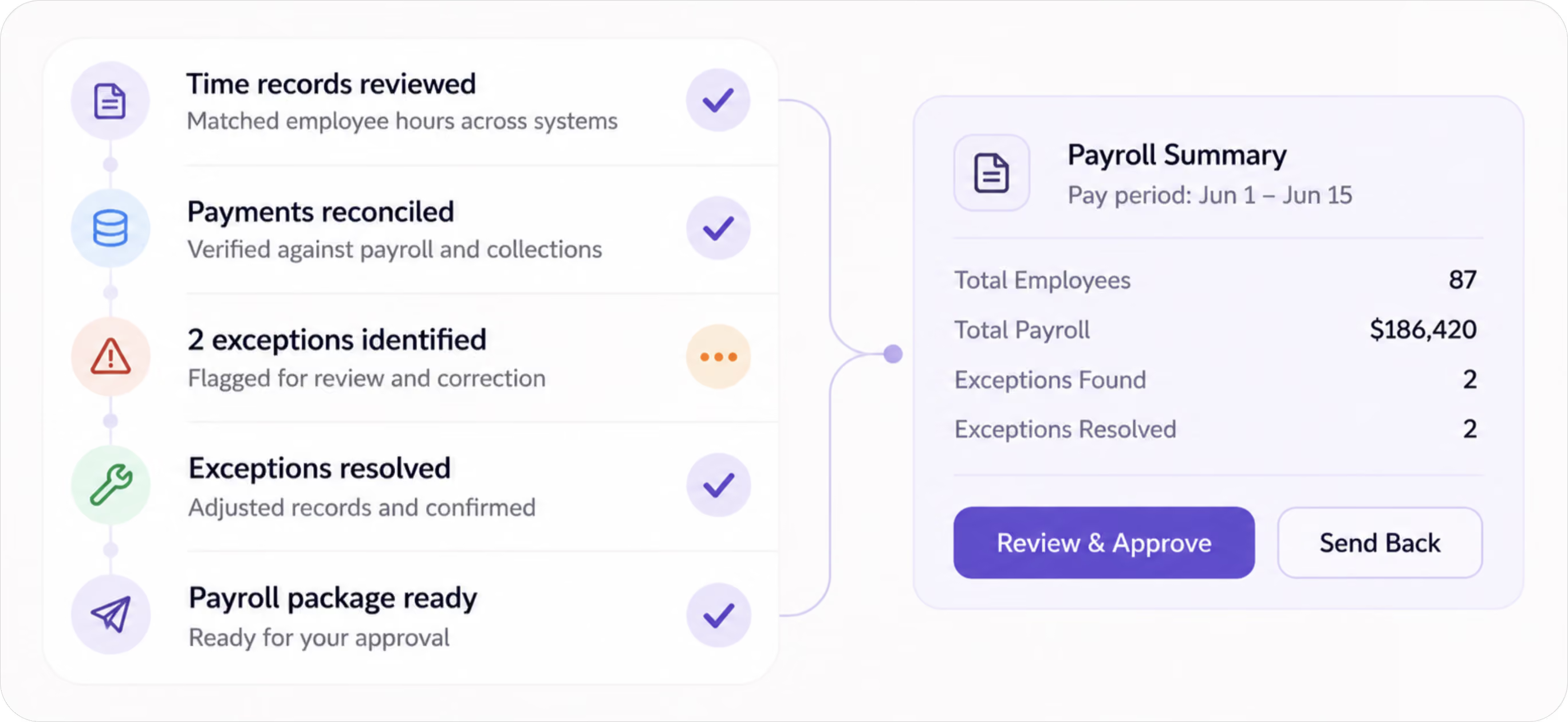
PayrollUpdates chart
Review & ApproveSend Back
Ethan Park
Ethan Park10:42 AM
@Sofia We're seeing failed account creations. Can you figure out what changed?
Sofia App
Sofia App10:45 AM
Checking recent logs…
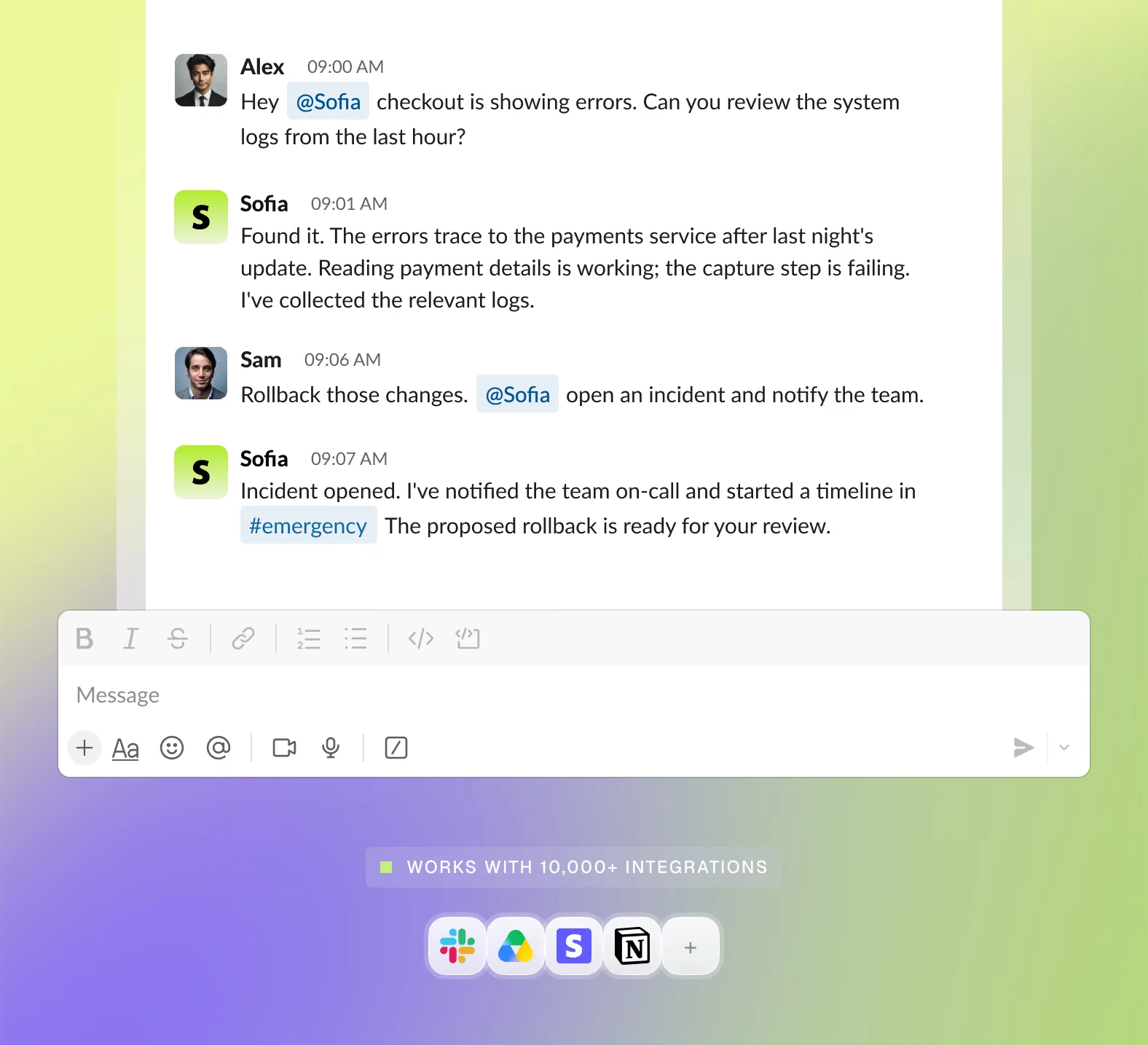
Found it. A recent authentication update started sending some profiles without a primary email, which caused the registration handler to fail. I've already handled the follow-up:
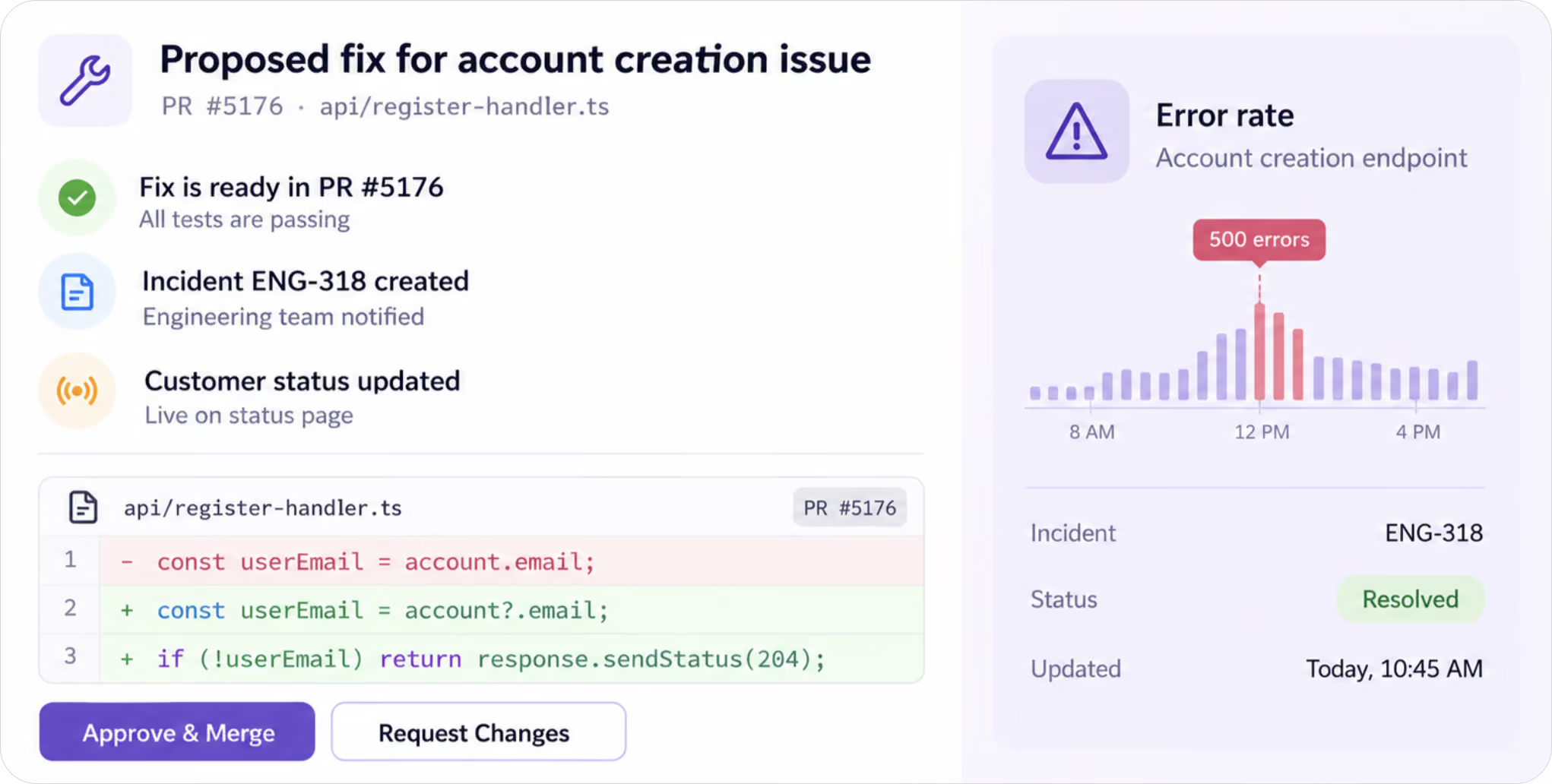
Engineering&Product chart
✅ Patch submitted in PR #5176 and all checks are green
✅ Engineering issue ENG-318 created
✅ Customer-facing system status updated
🚀 4🛠️ 2

Nina Patel
Nina Patel9:26 AM
@Sofia Our paid search costs jumped yesterday. Can you see what's driving it and make any safe adjustments?
Sofia App
Sofia App9:29 AM
Analyzing ad spend…
I found the issue. One campaign was consuming a disproportionate share of budget while converting well below target. I paused the underperforming campaign and shifted spend toward the strongest ad groups.
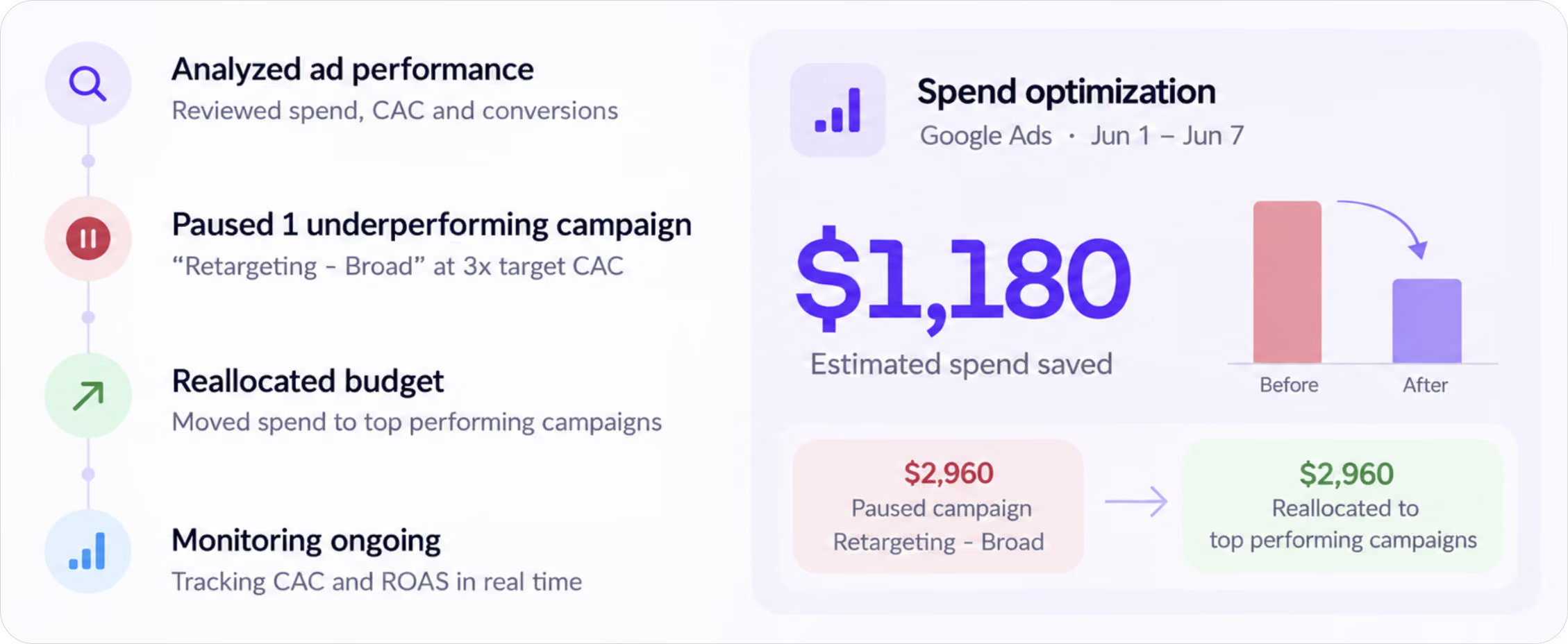
GrowthCampaigns chart
💰 Estimated spend protected: $1,180
Olivia Grant
Olivia Grant3:14 PM
@Sofia What's coming up most often in customer feedback lately?
Sofia App
Sofia App3:17 PM
Scanning customer feedback…
One theme is clearly leading: customers want faster ways to update multiple records at once. I analyzed 1,650 conversations across support, chat, and product feedback, then organized the findings for the team.
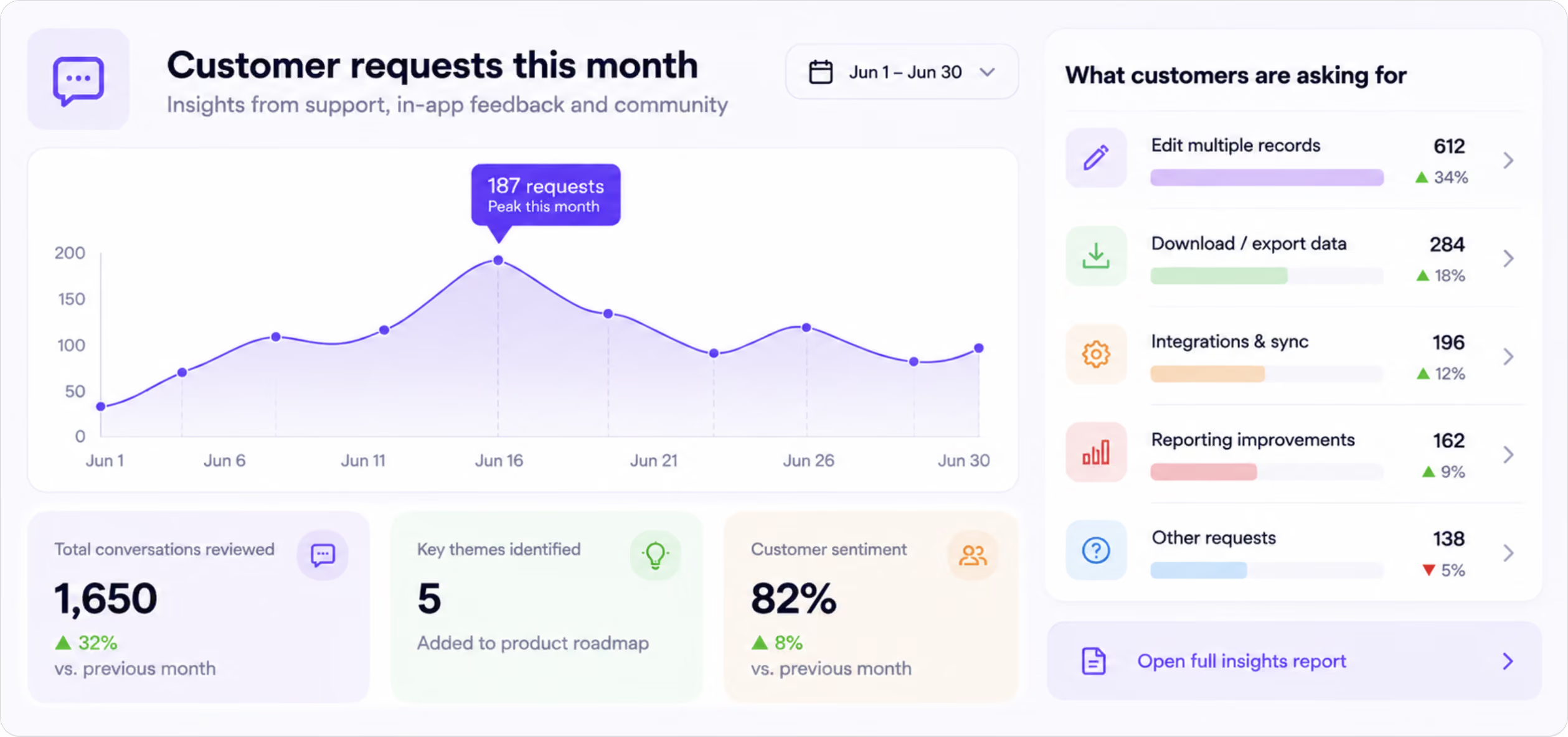
ProductInsight chart
✅ Grouped customer requests into recurring themes
✅ Added the highest-impact opportunities to the product backlog
✅ Prepared a feature brief with customer examples and requirements
🔗 Customer insights
👀 4📌 3
Jordan Reyes
Jordan Reyes1:12 PM
@Sofia Customers keep reporting the same download issue. Can you clean this up and get the right teams moving?
Sofia App
Sofia App1:16 PM
Reviewing support tickets…
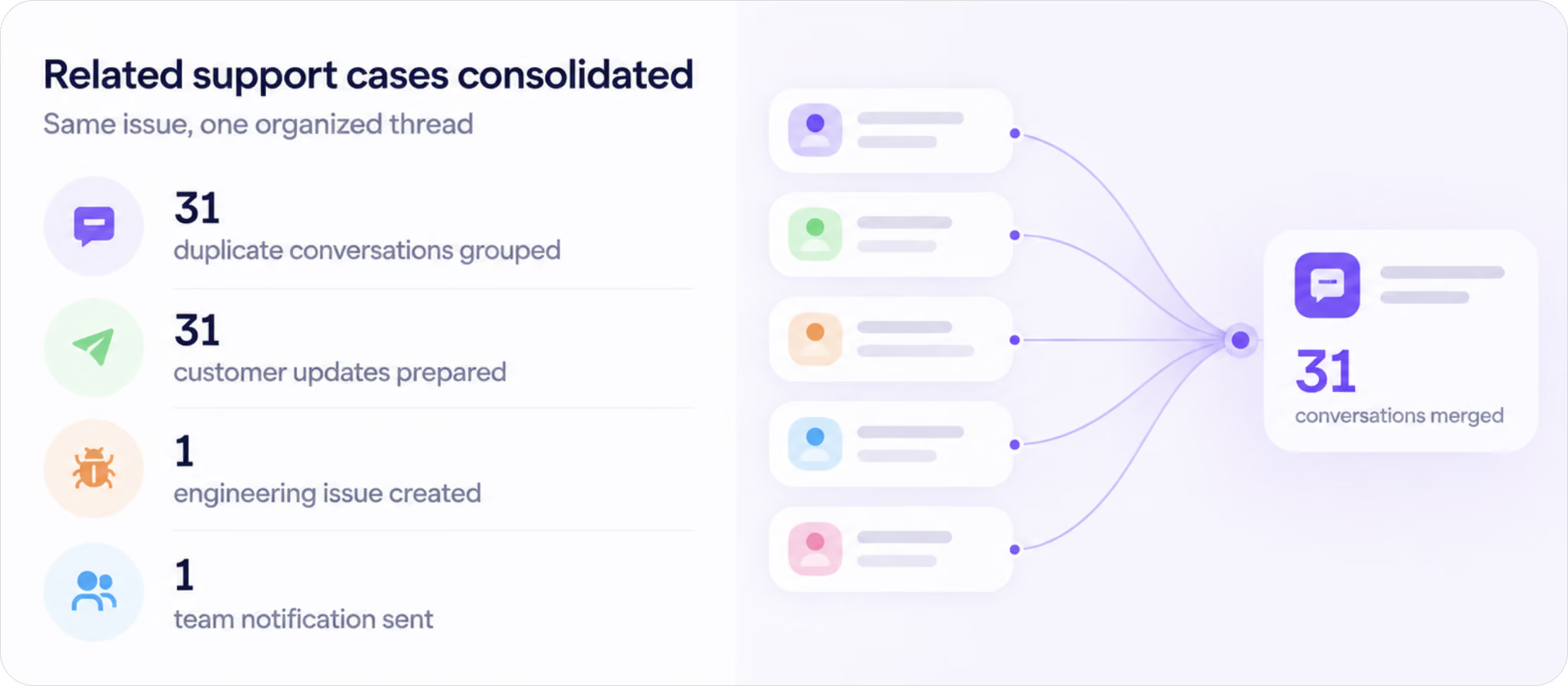
I reviewed the support backlog and found 31 conversations tied to the same file-generation failure.
CustomerSuccess chart
✅ Grouped the related cases under a single incident
✅ Prepared personalized customer updates for the affected users
✅ Created engineering issue BUG-427 with steps to reproduce
✅ Sent the incident summary to the engineering team
⏱ Average first-response time: 42 min
❤️ 3🎯 2
My contacts
Search
Favorites
Sofia
now
Could you turn these updates into a live…
Mark Robinson
2 min
Sounds good, see you at 3 PM
Jake Smithson
12 min
Just sent you the contract draft
Liam Dawson
34 min
Thanks! I'll review it tonight
Lin Ramirez
3 hrs
Can we move the call to Friday?
Ethan Johnson
9 hrs
Great, the invoice has been paid
Sofia
Today
Anything unusual in our numbers compared with last week?
6:11 PM
A few things stand out. New subscriptions climbed 19%, while acquisition cost improved by 7%. Everything else stayed within the normal range. Should I automatically send you a performance snapshot every Monday morning?
Weekly performance dashboard
6:12 PM
Could you turn these updates into a live performance dashboard?
6:12 PM
Message
My contacts
Favorites
Sofia
now
Your to do list is ready
Mark Robinson
now
Ok, see you later
2
Jake Smithson
5 min
You: I don't remember anything 😄
Liam Dawson
10 min
Table for four, 5PM. Be there.
Emily Dorson
18 min
All done 😆
Ethan Johnson
4 hrs
Okay, no worries
Sofia
Today
Hey Sofia, check all my unread messages and create a to-do list from anything important.
6:11 PM
Sure, I’ll scan your unread messages across WhatsApp, Slack, Teams, SMS, and Email.
6:12 PM
I found 12 unread messages. Here’s what needs your attention:
6:12 PM
To-do list for today:
1. Confirm dinner reservation with Liam for 5 PM.
2. Reply to Mark about moving the meeting to tomorrow.
3. Send the updated deck to Emily.
4. Call Mom back when you have 10 minutes.
5. Review the invoice from the design contractor.
6:12 PM
Message
Inbox
Sofia
2 min
Unread email summary
3 urgent, 5 can wait
Sofia
3 min
Meeting emails
Tomorrow’s agenda ready
Sofia
4 min
Travel updates
Flight changed by 20 min
Sofia
5 min
Drafts ready to send
2 replies prepared
Sofia
5hrs
Follow-up reminders
Mixed reviews
Sofia
Inbox - Personal
2 min ago
Unread email summary
To: yourmail@gmail.com
From: noreply@sofia.ai
You have 18 new emails. Sofia found 3 that need action today, 4 useful updates, and 11 low-priority messages. The most important item is a contract review request due before 3 PM.
#AI infrastructure #chip export controls #cybersecurity risks.
Hi Maria,
I reviewed your latest emails and grouped them by priority.
Needs action today:
1
Review contract changes before 3 PM.
Legal sent an updated agreement and asked for confirmation today.
2
Confirm tomorrow’s client meeting.
The client proposed a new time and is waiting for your approval.
3
Approve the latest invoice.
Finance flagged one pending invoice that needs your review.
Can wait:
1
Product update newsletter.
A platform you use shared new feature announcements.
2
Team event reminder.
HR sent a reminder about next week’s company event.
Suggested next steps:
I prepared two reply drafts and added one reminder for 2:30 PM. You can review them whenever you’re ready.
Let me know if I can assist you further!
Trusted by 1,000+ teams

Sofia is the AI teammate that does everything you

shouldn't be doing.

can't get off your plate.

can't rationalize a new hire for.

Get Started

A workspace where your team and Sofia get the work done together.

You lead the way. Sofia handles the work across your tools, from start to finish. She recommends the next step and asks for approval before taking sensitive actions. You make the call. She makes it happen.

Saved:
3-5 hours/week

“Probably the smartest member of our team. An AI employee connected to all our systems, working alongside us right in Slack.”

Austin, CEO of JetFly
Austin
CEO, JetFly
A teammate, not software

What makes Sofia your next hire

Owns
the work

Doesn't just answer. Gets it done.

Sofia takes a task from the first request to the finished result: researches, builds, updates your tools, and delivers work you can actually use.

Works across your entire team

One hire. All your tools.

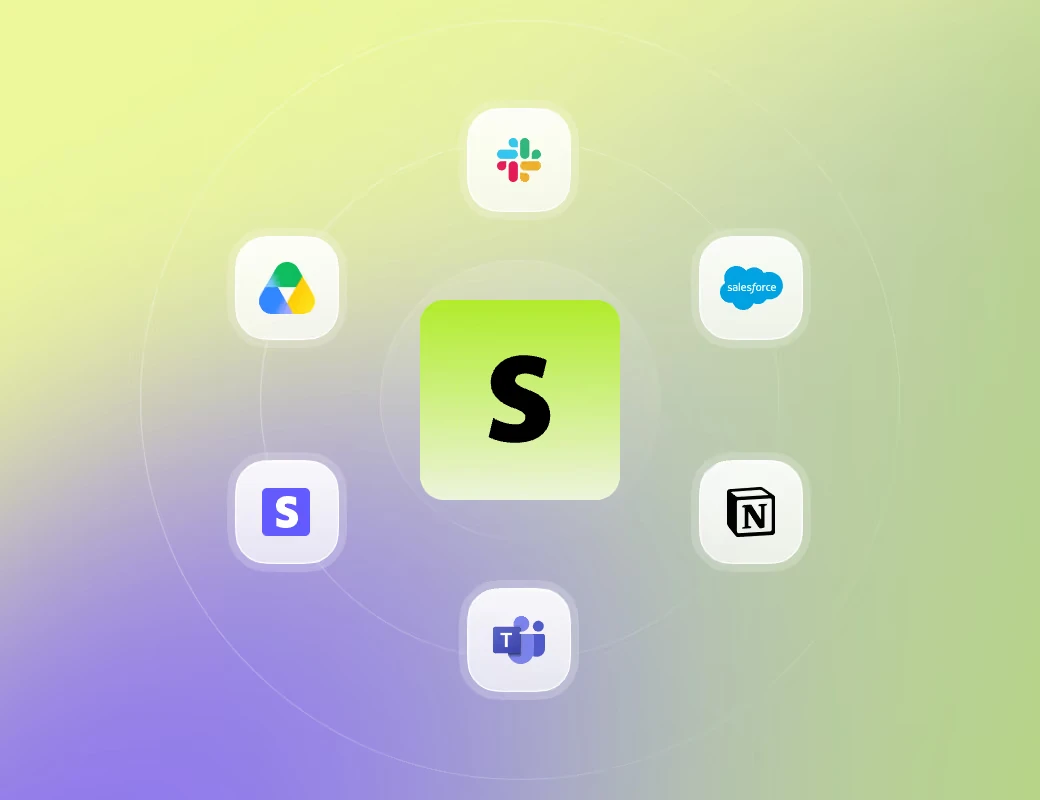
Sofia works across Slack, Salesforce, Google Drive, Stripe, Notion and 10,000+ other tools to keep work moving from one tool to the next.

Gets better as
you work together

Learns how your business works.

Sofia learns how you work, how you make decisions, and how you like things done, so the more you work together, the less you need to explain.

Get Started
What sets Sofia apart

A chatbot answers. Sofia gets it done.

A plan still leaves you with the work. Sofia handles the task and brings back the result.

Zapier

Sofia follows the rules you provide in natural language.

Identifies tasks to automate and executes them.

How it works

Easy to start. Ready in minutes.

1

Connect with Sofia your way

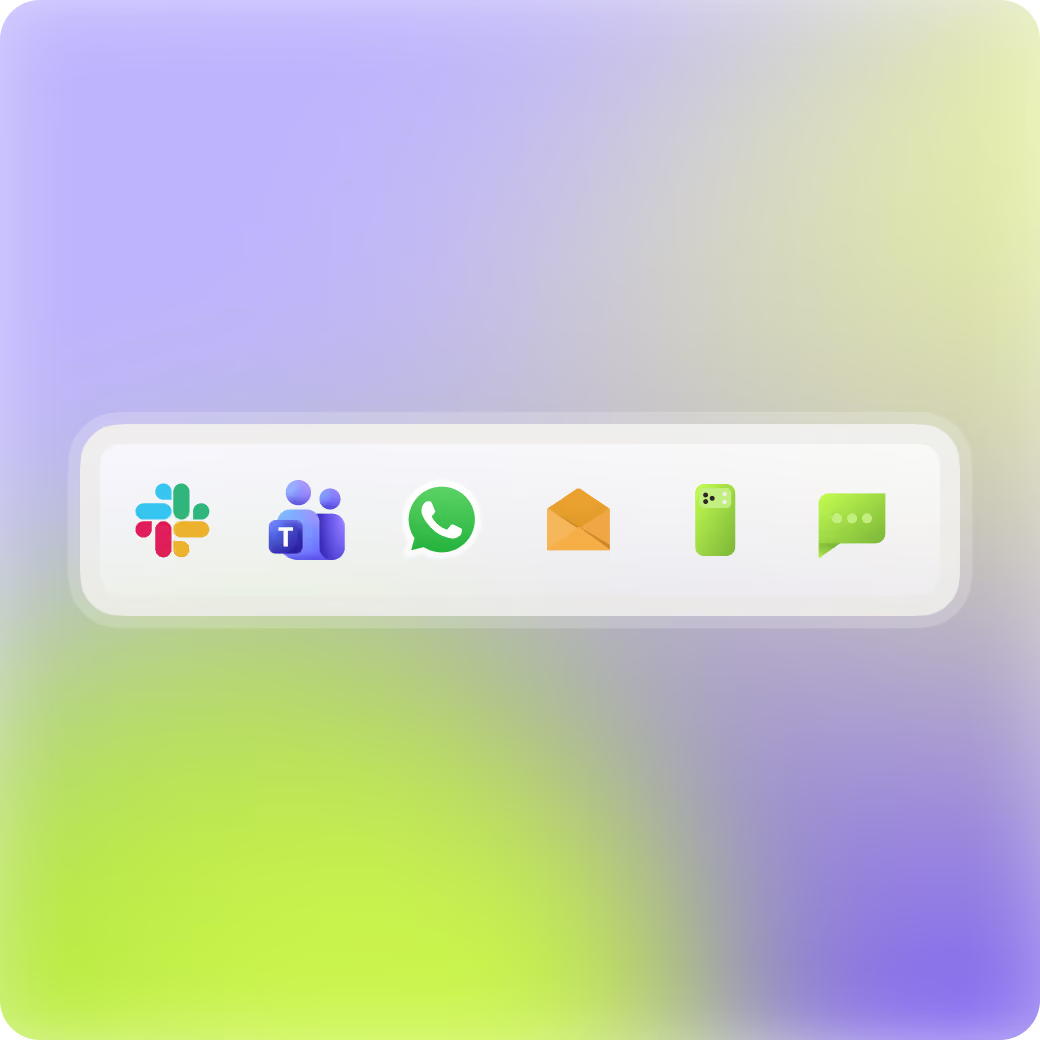
Reach Sofia on Slack, Teams, Text/SMS, WhatsApp, email, or phone. She's always ready.

2

Integrate your stack

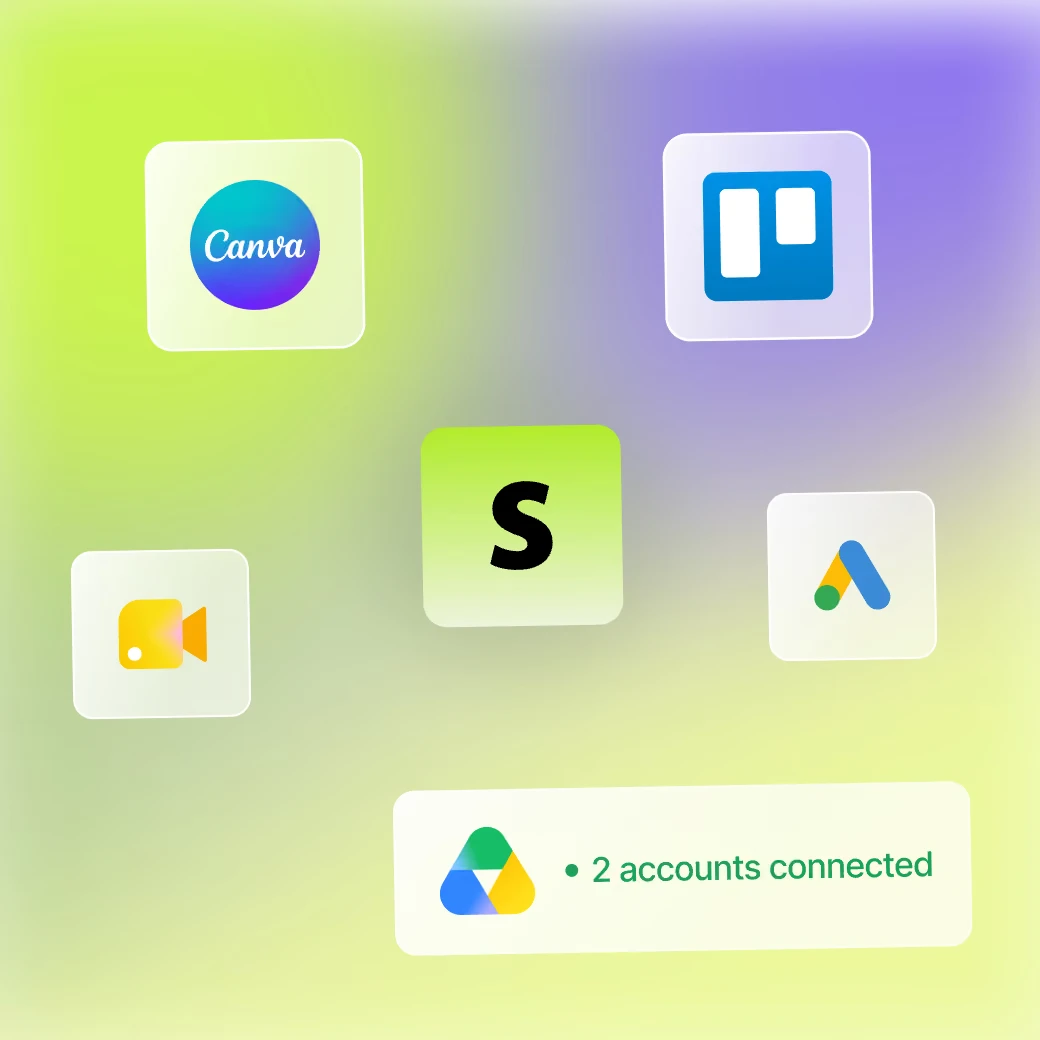
Connect the tools your team already uses. Each connection gives Sofia more of what she needs to do the work.

3

Give Sofia a task

Give Sofia a task that takes hours out of your week. She does it, then can keep doing it on a schedule.

Get Started
You're always in control

Independent, not unchecked.

Sofia handles the legwork and brings important decisions back to you. She proposes, you decide.

Sofia only sees the channels and content you invite her to access.
Approval prompts for every irreversible action.
Permissions and access controls for each team member.
Trusted by 1,000+ teams
When Sofia feels like a true teammate.

Agency that can scale to $2M in 7 days

“I started working with Sofia just seven days ago, and now I have the infrastructure for a $2 million-a-year agency — without hiring a single employee.”

Jordan
Founder, Impact
Saved:
1 full-time employee

“Claude Tag writes better specs. Sofia gets the work done faster across our tools — and actually creates the tickets.”

Billy
CEO
Saved:
60+ hrs/week

“It's completely changed how I work — like having an extra employee on the team. Maybe three.”

Phil
President

FAQ

What is Sofia, exactly?

Sofia is an AI employee you can reach through Slack, Teams, phone, text, email, and WhatsApp. She uses your connected tools to complete tasks and deliver work you can use. She's not just a chatbot. She's a teammate you can put to work.

How is Sofia different from ChatGPT or other AI assistants?

Most AI assistants help you think. Sofia is built to take work off your plate. You can call Sofia, text her, email her, message her on WhatsApp, or work with her in Slack or Microsoft Teams — then she can move across the systems your business already uses to complete the job. The goal isn't another answer to copy and paste. It's finished work.

What can Sofia actually do?

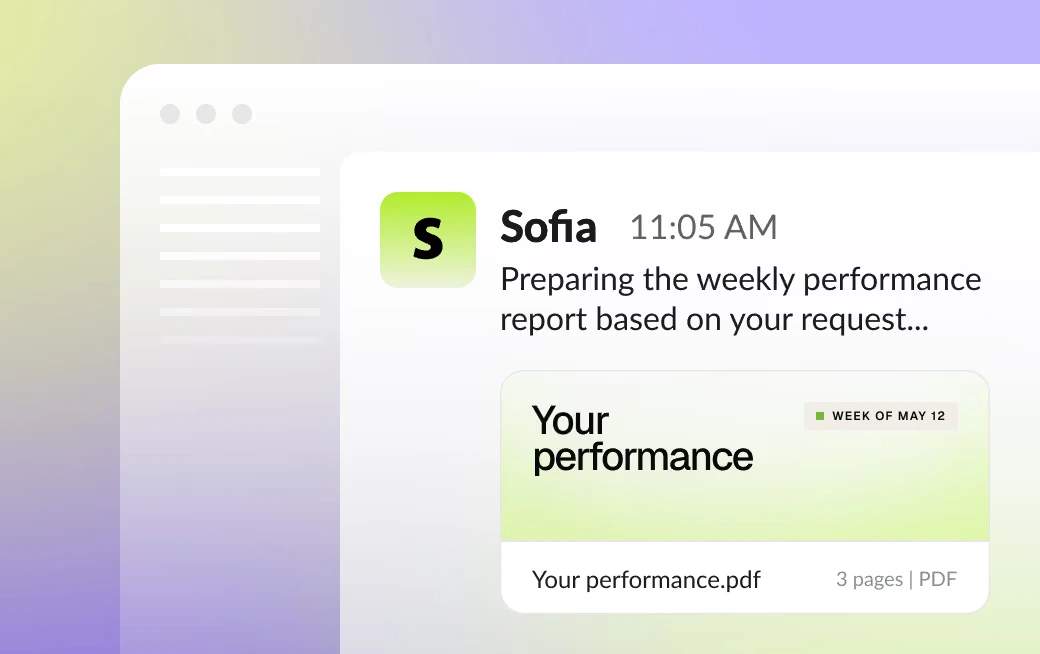
Sofia can take on recurring, cross-tool work that eats up your team's week: preparing operating reviews, reconciling data, flagging risks, coordinating follow-ups, producing reports, and running repeatable workflows. The best first job is something with a clear outcome that touches the systems your team already uses.

What apps and tools can you connect to Sofia?

Sofia is designed to connect to 10,000+ systems your business already runs on, including your CRM, Google Drive, calendar, WhatsApp, phone, SMS, and analytics tools. Each connection is meant to let her act, not just read. Sofia can also build custom integrations should a tool not be supported.

How does Sofia protect my data?

Sofia operates in a private environment and only connects to the tools you authorize. Your information is protected with strong security controls, and your data is never used to train third-party models..

Does Sofia have access to all of my data through all of these channels/tools?

Sofia is designed to access only the conversations and systems you connect her to. Your team controls where she can work and what she can use. You can always go in and delete data or kick her out of any channel should you change your mind.

What does Sofia do to learn about my team?

Sofia builds company-specific context as you work together: decisions, preferences, formats, connected tools, relationships, approvals, exceptions, and what actually worked. Whether you’re calling, texting, emailing, using WhatsApp, or working with her in Slack or Microsoft Teams, that context helps her handle recurring jobs with less re-explaining over time.

Can Sofia make mistakes?

Yes. Sofia is powerful, but she can still be wrong. Her work is designed to be auditable, and your team sets permissions and controls around what she can do. If she isn't sure, she will ask you, just like your other employees.

What happens if Sofia can’t finish the job?

If Sofia needs more context, a connection, or permission, she asks for it. If a task can’t be completed with the access she has, she brings it back to you and explains why instead of silently guessing.

What's the setup process like? How long should I expect?

Connect the systems you want Sofia to use, then reach her the way your team already communicates — call, text, email, WhatsApp, Slack, or Microsoft Teams — and hand her a first job. Sofia is designed to be live in minutes.

Can everyone on my team use Sofia?

Yes. Sofia is designed as one AI employee for the entire company, so different people and teams can hand her work through the channels they already use — including phone, text, email, WhatsApp, Slack, and Microsoft Teams. She will know the entire team's context while also taking each individual's preferences into account.

Does Sofia work outside of Slack, Teams, phone, text, email, and WhatsApp?

Yes, these are just the most common ways our clients communicate with Sofia. The work itself happens across the business tools and workflows you connect to her and develop.

How do I get started?

Click "Get Started". Connect your comms tools, then talk to Sofia the way you would any other teammate in your organization: call her, text her, email her, message her on WhatsApp, or work with her in Slack or Microsoft Teams. Give her one task that eats your time when you have bigger things to worry about. Once she has handled it, you can have her run it again at any time or on a recurring schedule.

Can I control who has access to each integration?

Any app you connect can be used by your whole team. Shared tools work best, so avoid connecting personal accounts or anything you wouldn’t want others to access. That makes Sofia a good fit for shared systems like company inboxes, support platforms, and team-wide software. For anything personal or potentially sensitive, use caution — only connect accounts you’re confident making available to the rest of your team.

Can my team see my chats with Sofia?

Sofia is designed to work with your team, so she can use shared workspace context to be more helpful. Today, chats aren’t fully separated by individual user. We’re working on a Confidential mode that will give each person their own conversations and connected accounts.

Will Sofia still have my data after I disconnect a tool?

Disconnecting a tool cuts off Sofia’s access to any new information from that source. However, work she already completed using that data — such as summaries, notes, or context she learned along the way — may still remain in the workspace.

If you want to adjust the learned data or start fresh, you can edit or delete that specific information to clear Sofia’s stored workspace data without having to start all over at the beginning.

What kind of access controls does Sofia support?

Sofia is built to operate as a shared AI employee for your company, so teammates in the same workspace work with the same core Sofia context.

We’re also expanding the controls around that shared experience, including role-based access and user-level permissions, so companies can decide more precisely what Sofia can access and who she can share it with. Until those controls are fully developed, Sofia should be treated as a company-wide resource, and sensitive personal information shouldn’t be shared.

How is my data encrypted and protected?

Data in transit is encrypted with TLS 1.2+, and data at rest is encrypted with AES-256. Sensitive credentials — like bank connection tokens — get an additional layer of encryption with keys we rotate. Each customer's data is isolated at the database level, so one customer's information is never reachable from another's account. We never store full card numbers or your banking login credentials. SOC 2 Type 1 is on our roadmap, and we're glad to walk through our security controls with any customer who asks.

Does Sofia share data between different teams or companies?

Sofia’s company memory and action history are designed to be company-specific, not shared across customers. We would never train on your data and Sofia was developed to ensure a clear technical boundary in our core architecture, not just by design.

Can I delete all my data from Sofia?

Yes, you can delete all or part of your company's data. You also have the option of editing the information should you want to correct any context or information rather than starting over.

What happens to the communication I send Sofia?

Sofia uses the conversations and information you make available to understand the job, coordinate work, and build company-specific context such as decisions, preferences, and formats. That can include the ways you choose to communicate with her — phone, text, email, WhatsApp, Slack, or Microsoft Teams. Your data stays yours — it’s not used for training, ever. These conversations help Sofia become more useful to your organization over time.

What security and compliance standards does Sofia support?

Data in transit is encrypted with TLS 1.2+, and data at rest is encrypted with AES-256. Sensitive credentials — like bank connection tokens — get an additional layer of encryption with keys we rotate. Each customer's data is isolated at the database level, so one customer's information is never reachable from another's account. We never store full card numbers or your banking login credentials. SOC 2 Type 1 is on our roadmap, and we're glad to walk through our security controls with any customer who asks.

What's planned for privacy and security going forward?

We’re continuing to expand the controls companies need to deploy Sofia responsibly, including permissions, approvals, admin visibility, and data controls.

Sofia works around the clock, learns how you work, and connects to the tools your business uses. Start free with $100 in credits, then $49 a month.

Get StartedBook a Demo
Get Started